Here is a collection of tips, snippets, customizations and how-to tutorials to answer your biggest WooCommerce questions, curated by Rodolfo Melogli.
Please remember feedback is vital and that your social media shares, blog comments and WooWeekly newsletter sign ups help me understand which WooCommerce content works and which not, so that I can fine-tune my writing :)
Thank you in advance and enjoy!

This is a very cool snippet that many of you should use to increase your average order value.
Ecommerce customers who are near the “free shipping” threshold will try to add more products to the cart in order to qualify for free shipping. It’s pure psychology.
So, here’s how we show a simple message on the WooCommerce Cart page. Enjoy!
Continue reading WooCommerce: Remaining $$$ to Get Free Shipping Notification @ Cart

If you’re running a WooCommerce store and trying to upload a product image, import a CSV, or install a plugin/theme, you might encounter the dreaded “uploaded file exceeds the upload_max_filesize directive in php.ini” error.
This message means the file you’re trying to upload is larger than what your server currently allows. While this is more of a hosting/server-side limitation than a WooCommerce issue, it’s a common roadblock for store owners—especially those on shared hosting or dealing with large files.
The good news? You don’t necessarily need to mess with php.ini or contact your host right away. In many cases, you can override this upload limit with a quick tweak to your .htaccess file—something you likely already have in your root WordPress directory.
Let’s look at how to do that, and get rid of that error for good.
Continue reading WooCommerce: Fix the “uploaded file exceeds the upload_max_filesize directive in php.ini” error

If you wish to print the payment gateway name on order emails (in its own paragraph below the order items table), here’s a handy snippet for you.
All you need to use is the “woocommerce_email_after_order_table” hook to pick the correct position, and then the “get_payment_method_title” WooCommerce function to return the payment gateway name. Enjoy!
Continue reading WooCommerce: Add Payment Method to Order Emails

Interesting WooCommerce customization here. A client of mine asked me to hide/remove prices from the shop page and category pages as she wanted to drive more customers to the single product pages (i.e. increasing the click-through rate).
As usual, a simple PHP snippet does the trick. I never recommend to use CSS to “hide” prices, as they would still be visible in the code – PHP stops the prices from loading, so they’re invisible to the user.
Continue reading WooCommerce: Hide Prices on the Shop & Category Pages
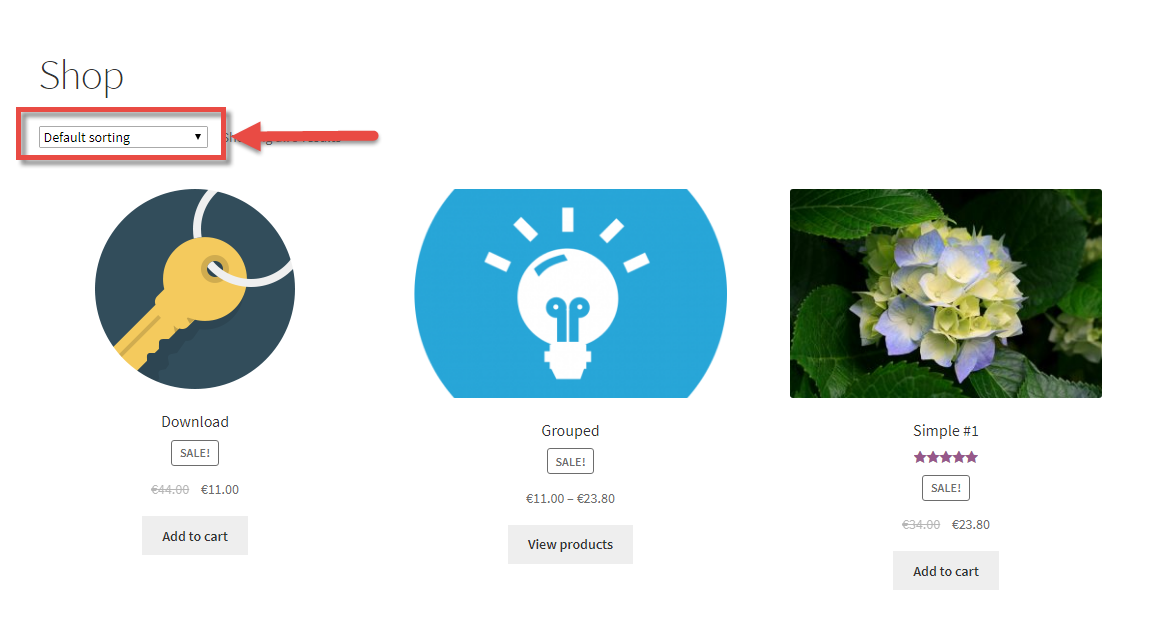
If the WooCommerce product sorting functionality (“Default Sorting” dropdown) is a waste of space or you don’t need that select box at all, you may want to remove it.
No matter if you prefer custom code or a simple plugin – hiding the product sorting dropdown is a piece of cake. Enjoy!
Continue reading WooCommerce: How to Remove the “Default Sorting” Dropdown

Maybe you don’t know that, but WooCommerce has an inbuilt functionality for importing and exporting products from CSV/XML files. Therefore, most of the times, you don’t need a premium import/export plugin.
Simply go to WordPress Dashboard > Products > All Products and click on Import (or Export) and follow the instructions. That’s it!
This is a new functionality introduced since WooCommerce 3.0 and it’s working like a charm.
For more advanced import/export, automatic updates from server and more complex functionalities, take a look at WP All Import + WooCommerce Add-On

When the long description is very short, you may want to move the whole block of “product tabs” to the right hand side of the product image – as opposed to wasting a lot of space underneath it.
So, here’s how you can remove the product tabs from their original position, and display them beside the featured image instead.
Continue reading WooCommerce: Move Product Tabs Under the Short Description
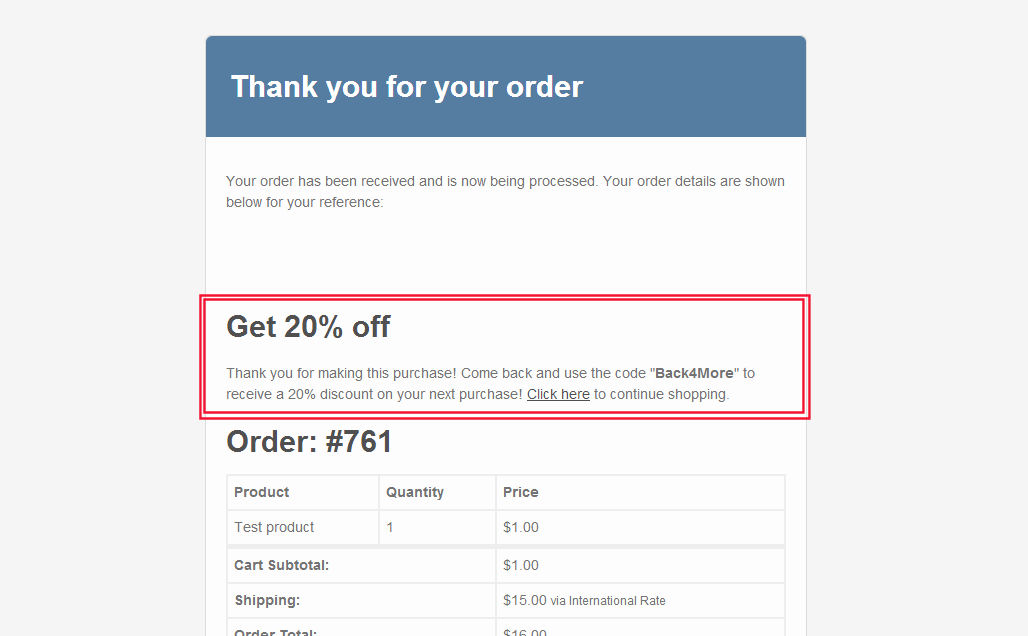
Customizing WooCommerce emails via the WordPress dashboard is not easy and – sometimes – not possible. For example, you can’t edit or add content to them unless you’re familiar with code.
Well, here’s a quick example to learn how to add content to any WooCommerce default order email. In this case study, our goal is showing an upsell to get buyers to go back to the website and buy with a coupon code. Enjoy!
Continue reading WooCommerce: Add Content to a Specific Order Email

A client of mine wanted to add some text to the thank you page, the page that customers see after they place an order via the default WooCommerce Checkout page.
In this case scenario, they wanted to add a special coupon discount in order to entice buyers to go back to the website and buy again. Enjoy!
Continue reading WooCommerce: Add Content to the Thank You Page
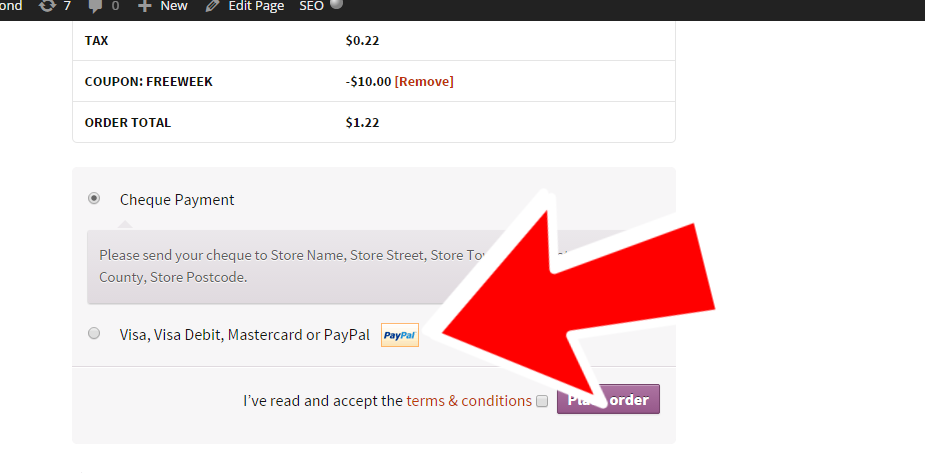
This is a cool function you can apply to any payment gateways for any order threshold. for example, you may want to disable bank transfers if orders are below $10, or disable PayPal payments if orders are above a certain cart total. Here’s what I did. Continue reading WooCommerce: How to Disable PayPal on Orders Above $100
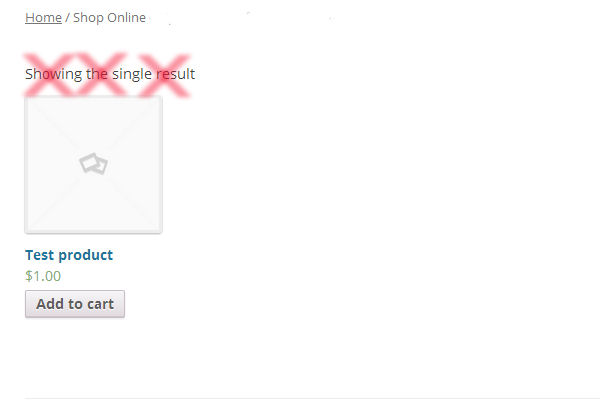
This is quite an annoying thing in WooCommerce when you have just a few products.
Besides, if you only have 1 product in a given category, the notice “Showing the Single Result” will appear on top of the category page.
So, how do we remove the whole “Showing 1–15 of 178 results” element from the Shop, Category, Tag and product loop? Here’s the fix. enjoy!
Continue reading WooCommerce: Hide “Showing x-y of z results” @ Shop Page
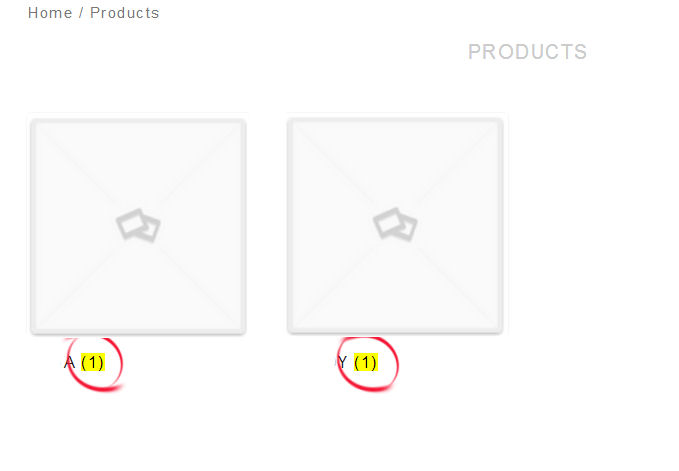
Here’s how to remove those annoying “yellow” product category counters in the WooCommerce shop / category / loop pages. You will find several versions of this snippet all over the internet…. but in case you haven’t found it yet, here’s the simple one-liner PHP code you need to add to your functions.php file.
Continue reading WooCommerce: Remove Product Category Counters

A WooCommerce client wanted to show some text in the checkout page, and specifically “Please allow 5-10 business days for delivery after order processing.” so that customers are aware of how shipping works. This is a vital information you should disclose on every page of your ecommerce website, and of course on the checkout page too. Continue reading WooCommerce: Add Shipping Notices on Checkout Page

A client of mine decided to add a little notice (“30-day return policy offered”) just above the Add to Cart button on the WooCommerce single product page. There is no need to say this will allow her to increase the click-through rate and her sales conversion rate. Continue reading WooCommerce: Display Content Above Add to Cart @ Single Product Page

Interesting topic. A client of mine asked me to remove the image from only one single product page – but not from ALL product pages. The same story applies if you want to apply CSS changes to any specific WooCommerce page. Here’s how I did it.
Continue reading WooCommerce: Apply CSS to One Product Only
Let's Talk WooCommerce, In Person
I'm bringing together WooCommerce professionals who care about code, business, and real connections. Smart conversations, useful takeaways, and a chance to meet in person in Palermo, Italy.
Join Us at Checkout Summit 2027 →

