
WordPress automatically limits your PHP memory to 40MB. This may result in your WooCommerce website being slow to process information, searches, product uploading and so on. Continue reading WooCommerce: Fix WP Memory Limit issue

Here is a collection of tips, snippets, customizations and how-to tutorials to answer your biggest WooCommerce questions, curated by Rodolfo Melogli.
Please remember feedback is vital and that your social media shares, blog comments and WooWeekly newsletter sign ups help me understand which WooCommerce content works and which not, so that I can fine-tune my writing :)
Thank you in advance and enjoy!
WordPress automatically limits your PHP memory to 40MB. This may result in your WooCommerce website being slow to process information, searches, product uploading and so on. Continue reading WooCommerce: Fix WP Memory Limit issue

It took me ages to find a way to import ALL California tax rates into WooCommerce. I started by hand, and after a while I said to myself “California is crazy! I wouldn’t want to be an accountant there!”.
As usual, I looked for existing free and premium plugins, but I decided to do it my way. this tutorial gives you a ready-made CSV with all California US tax rates (as of 9 August 2014). Yes, it’s out of date, but you can download it, see how it is built, revise it with the correct rates, and follow the tutorial. Continue reading WooCommerce: Import California Tax Rates (.csv)

A client asked me to add a “Free Shipping” notice under each WooCommerce product on the Shop Page. This can increase your click-through rate and hence your sales conversion rate. Here are a couple of PHP and CSS snippets so that you can implement this helpful edit. Continue reading WooCommerce: Add Text Under Each Product @ Shop Page

JetPack sharing (and other social media sharing plugins) allow you to add social media sharing to your woocommerce products. However, the sharing buttons will only show at the bottom of the “Long description”.
How to move that up a bit, say between the short description and the product tabs? Simply add this function to your functions.php file editor: Continue reading WooCommerce: Move Social Sharing @ Single Product Page

The “Additional Information” tab on the single product page is somewhat annoying and, honestly, quite useless.
There are 2 simple methods to “hide” it or delete it completely: a CSS and a PHP solution. In the first case, you can input the code in your style.css; in the second case use your child theme’s functions.php.
However, Always remember that PHP is better than CSS: with CSS you load the element and then hide it, while with PHP you stop the element from loading. Clearly, PHP is a better way to do it!
Continue reading WooCommerce: Remove Additional Information Tab @ Single Product
WooCommerce database already stores the number of products sold for you.
Therefore, you may want to show such number on the product page, close to the Add To Cart button. As we’ve seen in my book Ecommerce and Beyond, showing the number of sales for each product can increase your sales conversion rate.
All you need is pasting the following code in your functions.php. Enjoy!
Continue reading WooCommerce: Show Number Of Products Sold @ Product Page
When optimizing a WooCommerce website with the excellent YOAST SEO plugin for WordPress, I noticed that building “templates” for titles and meta descriptions is not that easy. Mostly when you want to input the product category and the product title.
Continue reading WooCommerce and YOAST SEO plugin: Title and Meta Templates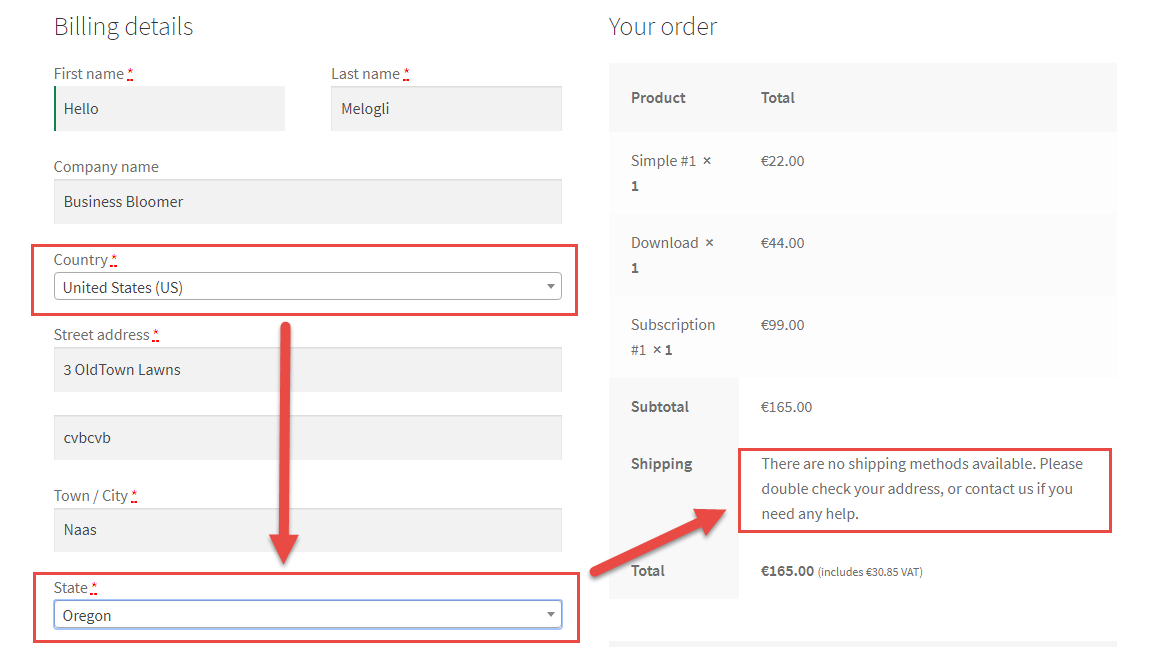
WooCommerce allows you to limit shipping by countries (or “allowed” countries). However, say your business is based in Pennsylvania, USA (PA) or in one of the Australian states. You may want to limit shipping to a state only.
All you need is pasting the following code in your functions.php Continue reading WooCommerce: Limit Shipping to One State Only

You may want to force users to login in order to see prices and add products to cart. That means you must hide add to cart buttons and prices on the Shop and Single Product pages when a user is logged out.
All you need is to paste the following code in your functions.php or in a Code Snippet.
Please note: your theme may have overwritten some of the default WooCommerce functions, hence the code may not work. See the mini-plugin solution below if you want to make it happen and also have the chance to customize the call to action.
Enjoy!
Continue reading WooCommerce: Hide Price & Add to Cart for Logged Out Users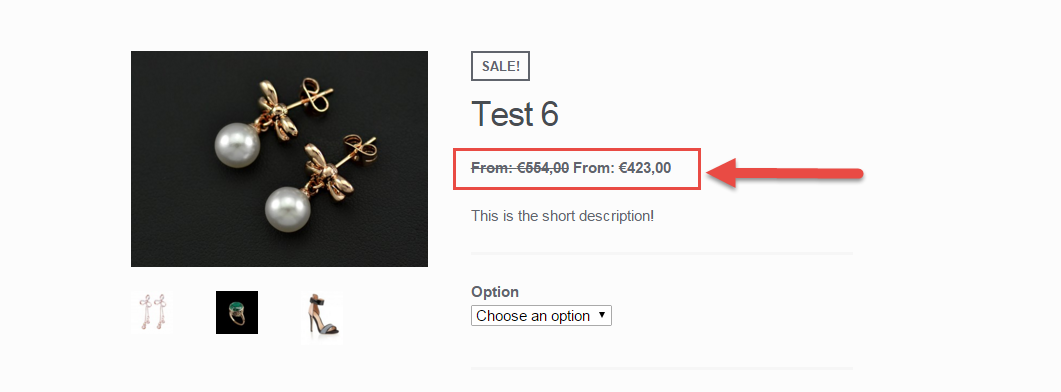
You may want to disable the WooCommerce variable product price range which usually looks like $100-$999 when variations have different prices (min $100 and max $999 in this case).
With this snippet you will be able to hide the highest price, and add a “From: ” prefix in front of the minimum price. At the same time, variable products with a single price (i.e. all variations have the same price) will keep their original format, so won’t display the “From: ” prefix.
Simply paste the following code in your child theme’s functions.php and enjoy!
Continue reading WooCommerce: Disable Variable Product Price Range $$$-$$$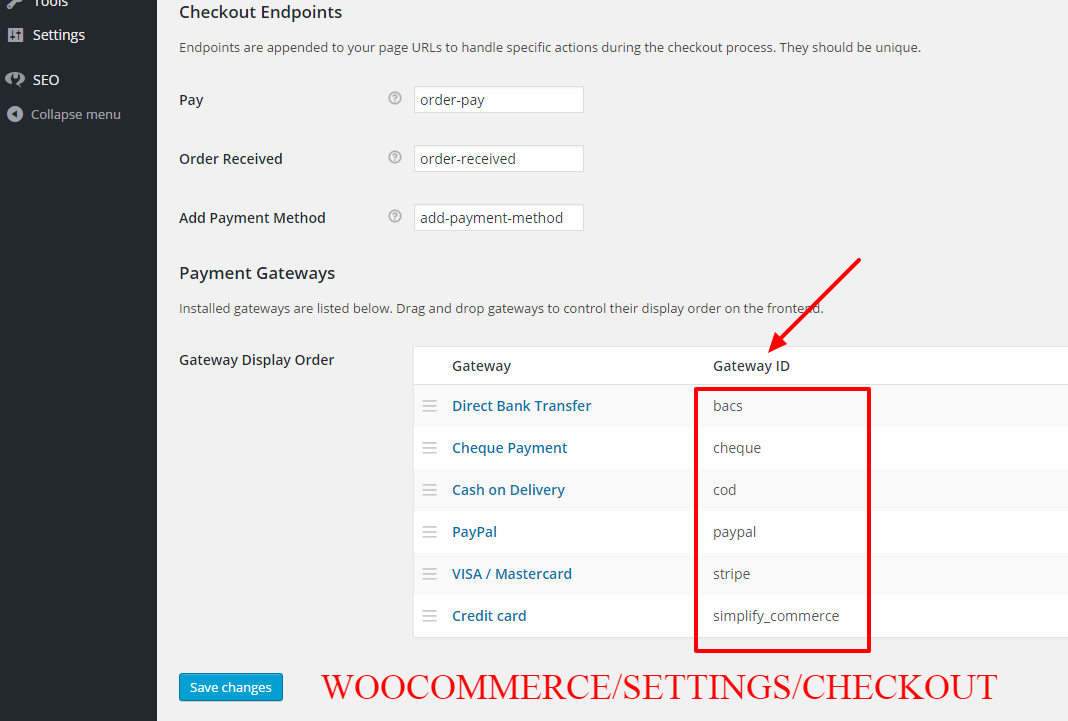
You may want to disable payment gateways depending on the logged in user role. For example, you may want to disable PayPal for user role “subscriber” or enable a specific gateway for user role “customer”.
All you need is to paste the following code in your functions.php or to install a super simple plugin. Enjoy!
Continue reading WooCommerce: Disable Payment Gateway for Specific User Role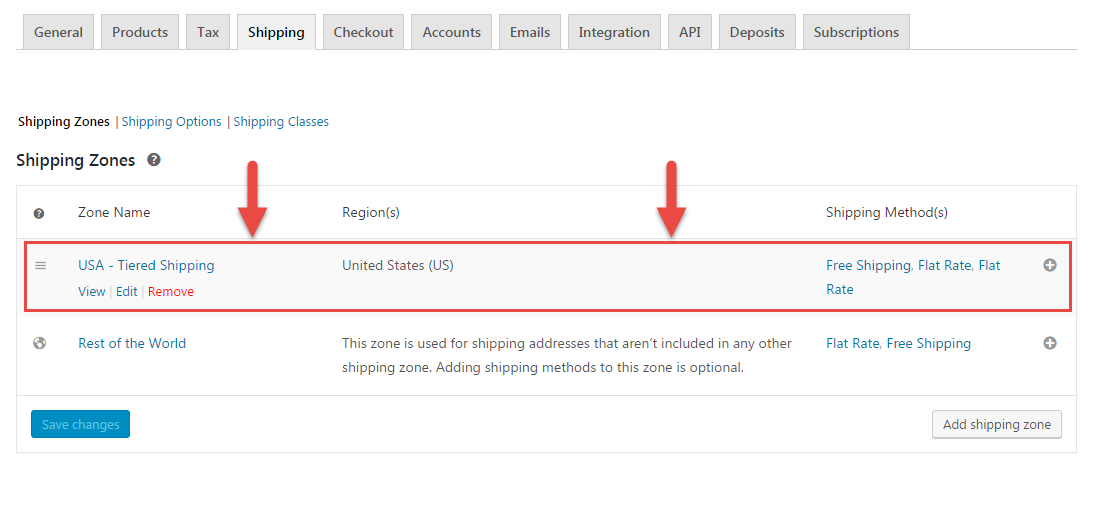
If Free Shipping is available, you possibly don’t want to show the other premium shipping options. WooCommerce shows by default all shipping rates that match a given shipping zone, so it’s not possible to achieve this from the settings alone.
Thankfully, the “woocommerce_package_rates” filter allows us to manipulate the shipping rates before they are returned to the frontend. In this example, we will disable all shipping methods but “Free Shipping” so that free shipping remains the only possible choice.
Here’s the code to add to your functions.php. Enjoy!
Continue reading WooCommerce: Hide Shipping Rates if Free Shipping Available
If you want to show the “short description” field on the products that are on your homepage or in the loop, here’s the PHP code to add to your functions.php.
Continue reading WooCommerce: Show Product Description @ Shop Page
If you’re not happy with the default number of products per page (16), or if your theme overrides the default WooCommerce setting for “per_page” products and you need to change it, here’s the fix for you.
Please note that you may also need to set the number of WooCommerce product grid columns, so that you can make sure the total number of products per page is a multiple of that and you don’t leave the shop page with empty grid items.
Enjoy!
Continue reading WooCommerce: Change Number of Products Per Page
If you use a full page width on your product page you might want to change the number of upsells to 3 (or multiple). Also, a client of mine needed the upsells to be above the tabs, so there you go. Continue reading WooCommerce: Change # of Upsells and Move Them Above Tabs
